2.4 Creating Automa
The states automa page is the ona where you specify the operations to perfom on each terminal.It is important to note how multiple machine states can create in the same project so that you can perform a variety of data collection tasks.In this image you will find two automa:
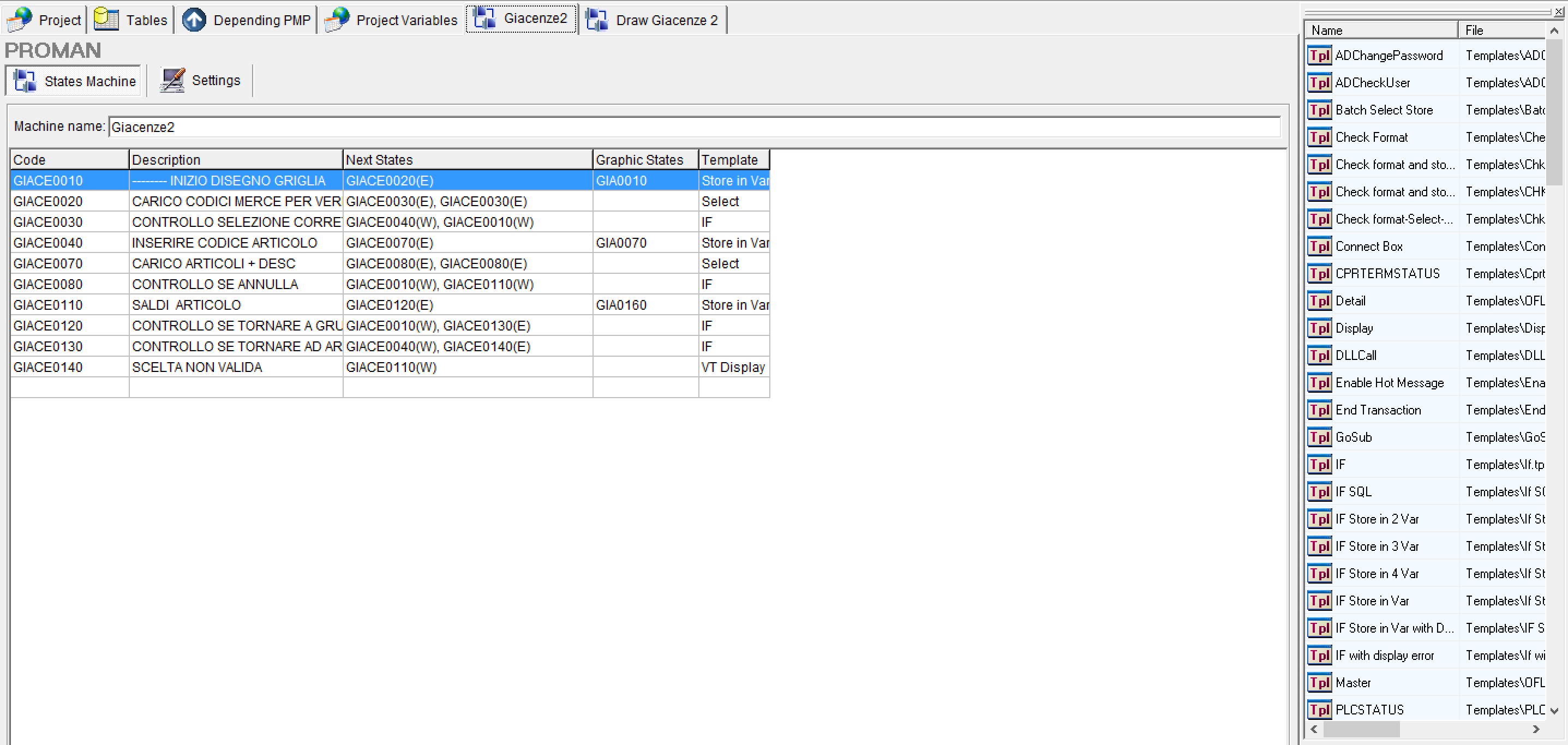
For states automa,we mean the set of operations performs by each terminal in order to perform a data collection.An automa solution implies that each terminal executes the instructions given regardless of the other terminals,so you may have the operator code request on one terminal and the quantity produced on the other.Each state will contain the operations to perform. At the end of the execution of these operaations,the state must indicate which other state is jumping to continue collection the data.
CREAZIONE MACCHINA A STATI:
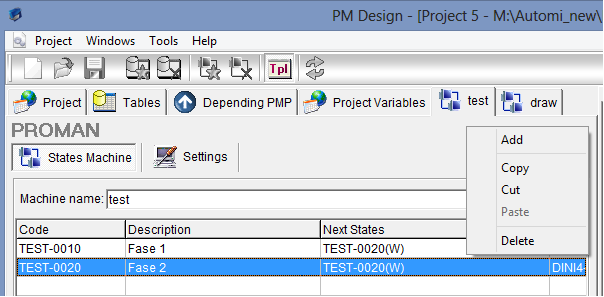
When you create a new project,you will find the default machine called "Machine1".Using the buttons in toolbar or right-clicking it,you can add new state machines,delete them or copy existing machines to paste them into new project.Name of the automa has descriptive purpose and will be useful to locate the task performs by the set of states listed in the grid below.
EDITING DI STATI:
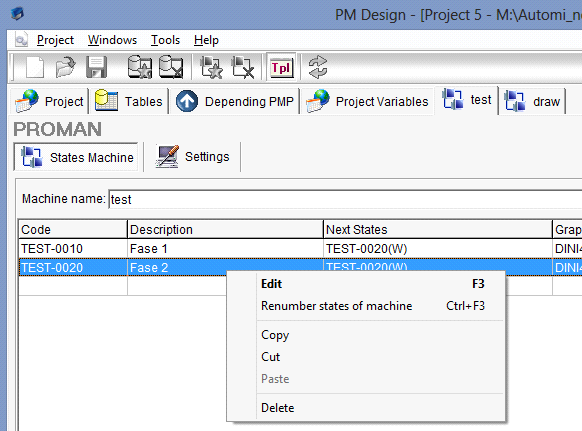
Pressing the right mouse button on the status grid displays a popup menu that allows you to change status settings,renumber states,copy/cut/paste and delete states:
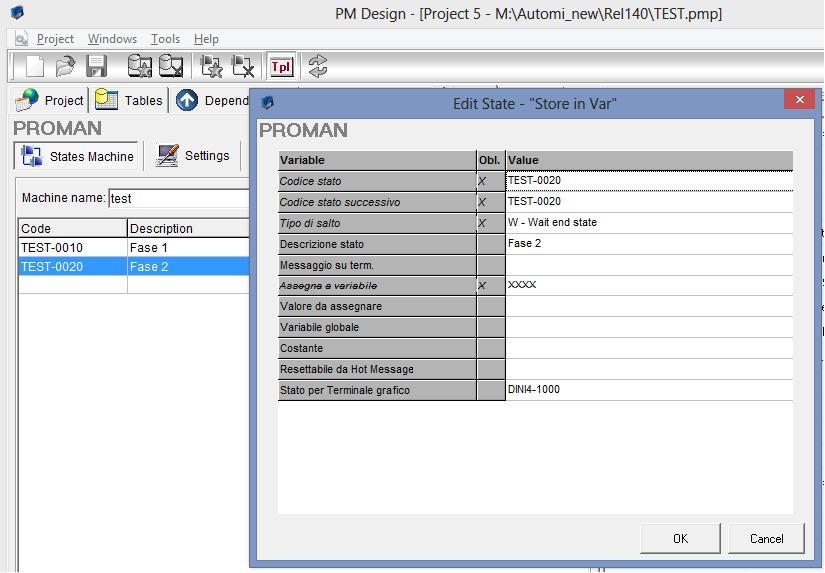
Below the field containing the name of automa,there is a grid that will contain states with operations will execute.To add new state,simply drag a template to the grid and release it.A window will appear asking for some status information (see the following figure).
The required information varies from template to template,so for relative instructions referring to the template chapter.
The variable column describes request made,the Obl. indicates whether you need to fill the relevant field to continue. the value column must fill by the user.For some field types,you can select value from a combo box.This is the case of table names jumping types ODBC connections to the database,and the field yes/no. In all states, the status code and at least one for the next status indicate (some templates may contain more than one status code following the operations being implemented). The state code must be unique throughout the project.
RINUMERAZIONE STATI:
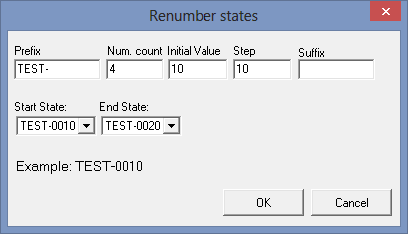
Once you enter states you can renumber popup menu by pressing the right button on the status grid.Once you select the automa state,a windows appears that prompts you to configure renumber settings.Renumber configuration allows you to indicate a prefix and a suffix (useful to characterize the machine states). It is also possible to construct a numberic sequence indicating the number of digits to use,the value from which to start and increment pitch to keep. In the middle part of the window,however,an example of how the first state code will be in accordance with the given settings will be shown.
2.4.2. SETTINGS MACCHINA A STATI
By selecting the settings button on the page of each state machine,you can specify some features.The most important of these is the type of state machine:
- OnLine: are the most common data collection states where a data collection based on terminals is always connect to the data collection network.
- Offline: They are state machines use to control and enter data collected from batch terminals in database.
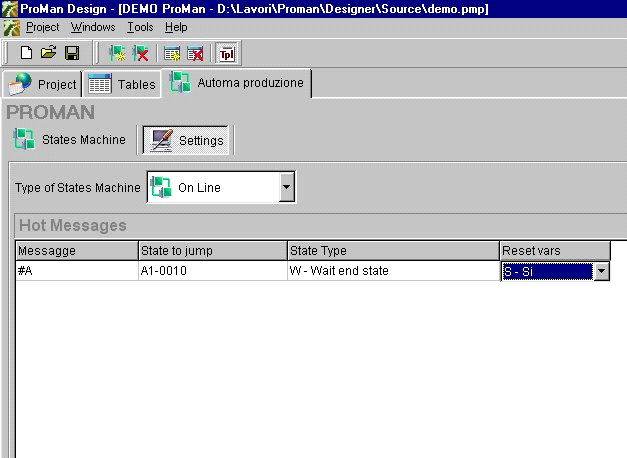
For online status machines,you can specify a list of hot messages. Hot messages are special messages that,once received by proman monitor,allow you to jump unconditionally to a particular state. An example of use is the button to clear all entries made: as shown in the following picture,when the message '#A' arrive, it executes a jump to the beginning of the state machine,invalidating any variables.
Created with the Personal Edition of HelpNDoc: Full-featured Help generator