2.3 Project page
Page Project is this:
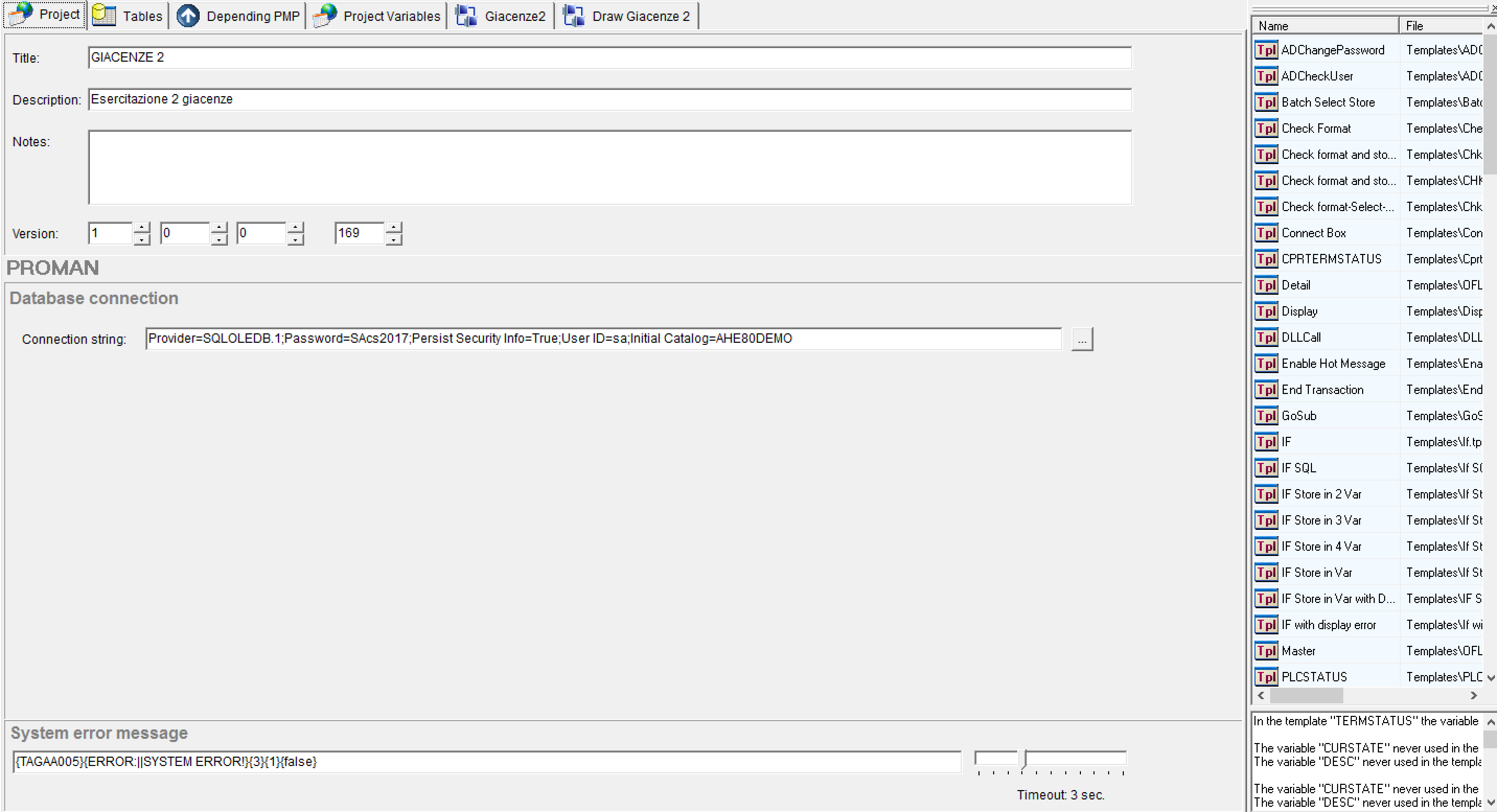
The first page that appears when creating or opening a project contains some general information useful to understand content of the project and to define the main connection to database.It also displays the current versione of project(project version).
The top of the page contains header information."Title" field will be listed in the title bar of the project window (in addition to the full path of saved project).Additionally,this field is also reported on the proman monitor module to allow quick detection of the project being run.The second "Description" field is a descriptive field that can fill with some general considerations on the project.
The Third "Notes" allow to put any comments on the project(these notes will not be displayed in the title bar of the PM Monitor project window).
Database Connection allows us to specify the credentials and database to which we want to connect.

IConnection String field allows you to point to a database connection through a "connection string" or an "ODBC".It is not necessary for the connection to exist,but in this case you will not be able to use some features of Proman Design,eg. The import of a table's structure.
2.3.2 LA PAGINA TABLES
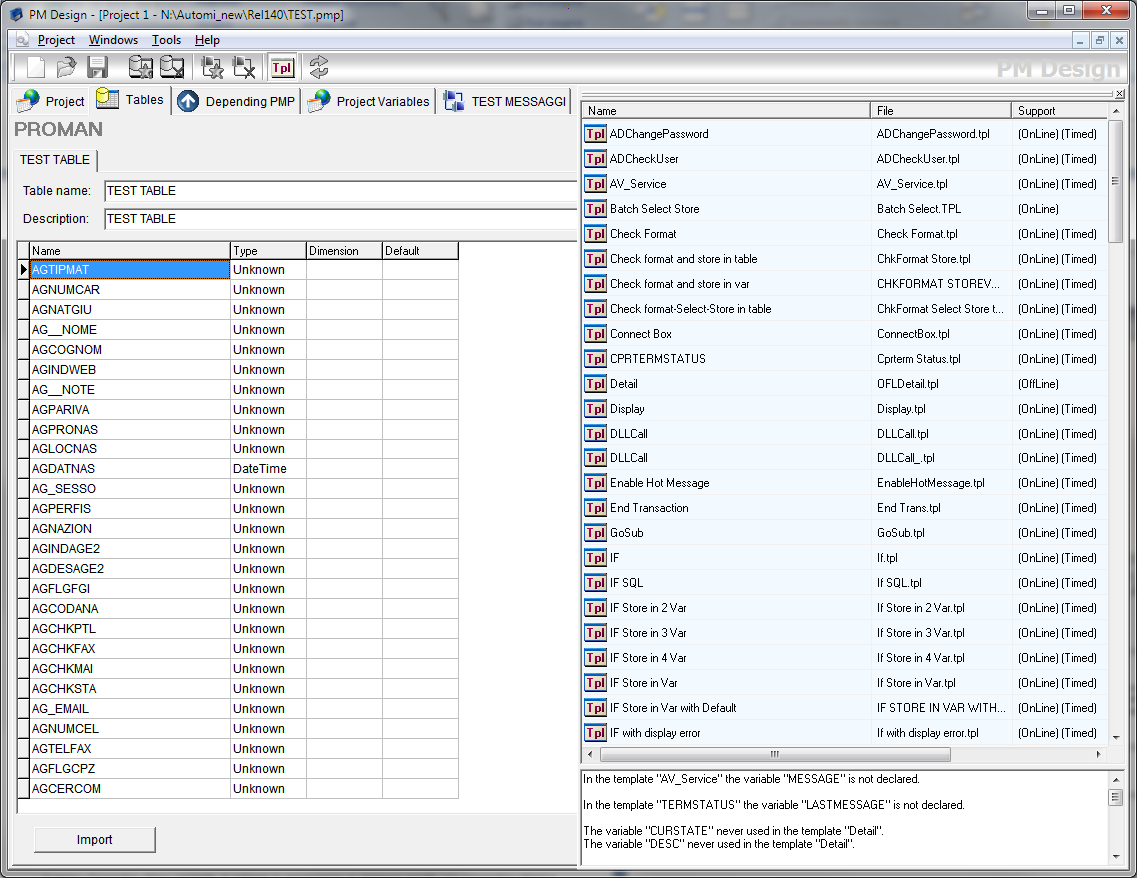
Let's start by saying that there are two write-in modes(INSERT) in the database tables by automa.The first mode is linked to the tables section and assumes that the tables tab of the project lists tables in which we want to write (INSERT) the records.IN order to operate this way,we will need to use specific templates (STORE IN TABLE template and END TRANSACTION template).
the second mode is completely disconnect from table definitions in the tables section and provides the ability to write/update/delete (INSERT,UPDATE,DELETE) data from a table using specific templates(SELECt template and SQL template).The operation of these particular templates will discuss later.Before submitting to the table page description,we need to clarify some of the terms that will use later: Log and Transaction Tables.
- For Log Tables we mean the physical table on the ProMan database for the data collection that state machine requires the user.Example of these tables could be the production data table,data table found in the acceptance department of purchased material,or table of pieces being produced by each machine through counting terminals.
- Transaction means a data collection cycle that ends with the writing of a log table record(CAUTION:no transaction open on the database;it is only an internal transaction that indicates start/end of collection information needed to write a record in log table)
Table page will use to create structure of the transaction log tables.Logically,if database we are working on are already in the tables for data collection, you will not have to create the same.
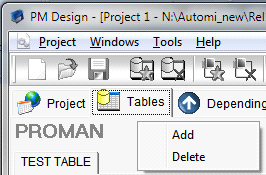
Aggiunta tabelle
When creating a new project,table page will appear empty.To add a new table you can right-click on the page. A popup menu will appear that allows adding a table.It's important to remember that creating a table on this page does not match creating it in the database.Tables add on this page only have the purpose of "educating" machine state that will use the table.Although it may be more complex during the test of project,you can then add tables in this section even you do not have any databases.
Editing della struttura di una tabella
After adding the table,you can fill names,descriptions and table fields.The compilation of latter tracks is way in which the most widely database environments work.
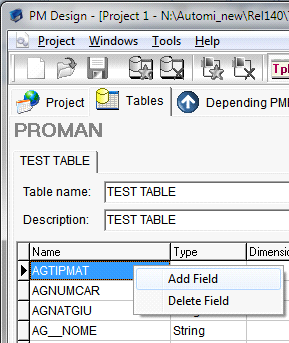
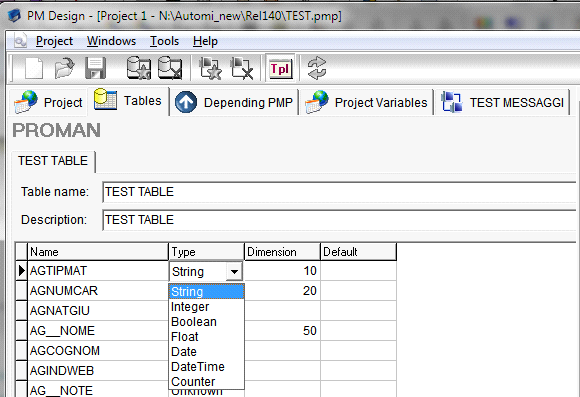
Selectable field types are the most common for data collection applications.Note that dimension column needs to be specified only for string fields,since for all other types the size is determined by database on which table will create.
Importazione tabelle esistenti
A particularly important function is the possibility of importing structure directly from a table already in the database(without defining it by hand as explained in the previous paragraph).To import a table first you need to create a new table on tables page.In fact,the import overwrites the existing structure.Then pressing the import button will display a window with the list of tables on proman database.
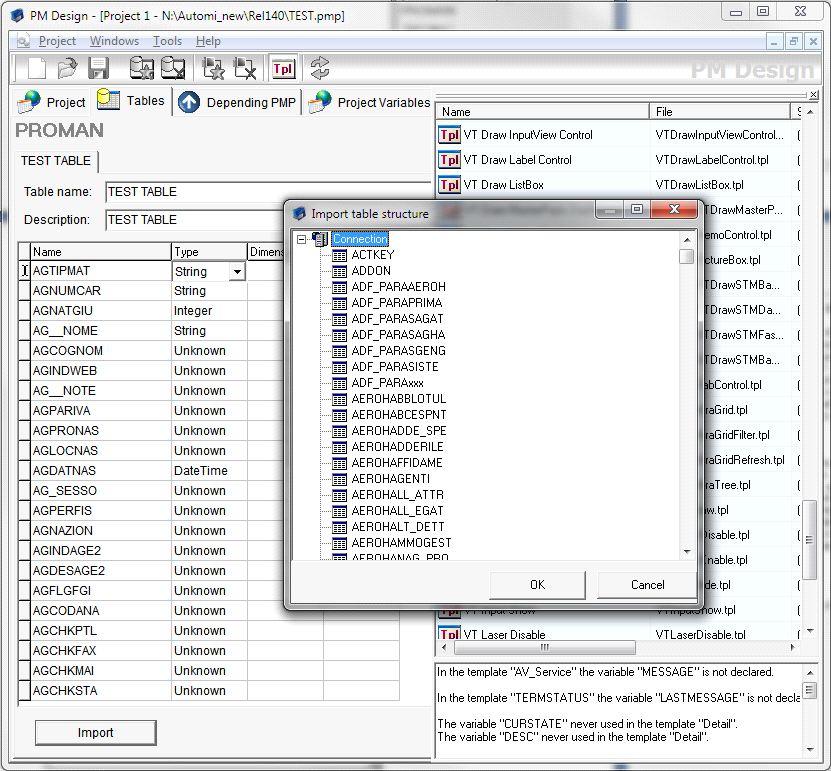
By pressing OK button (after selecting the table) the import will perfom:
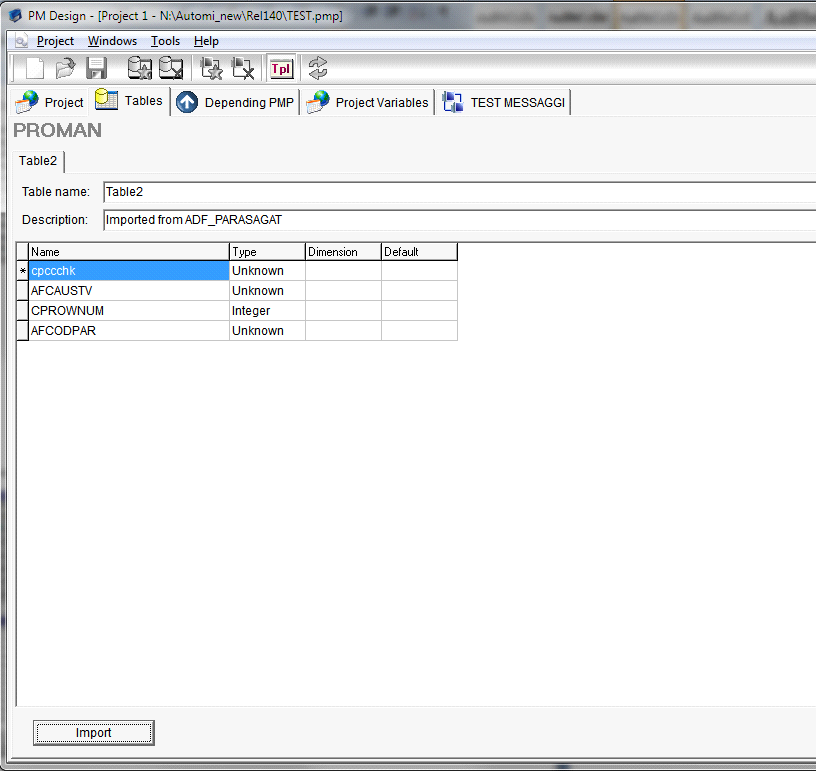
Note that the name of project table is not change,and in the description you add an indication that highlights from which table the fields are shown in the grid below.NB: table import function is only available if a valid database connection is active.
2.3.3 PAGINA DEPENDING PMP
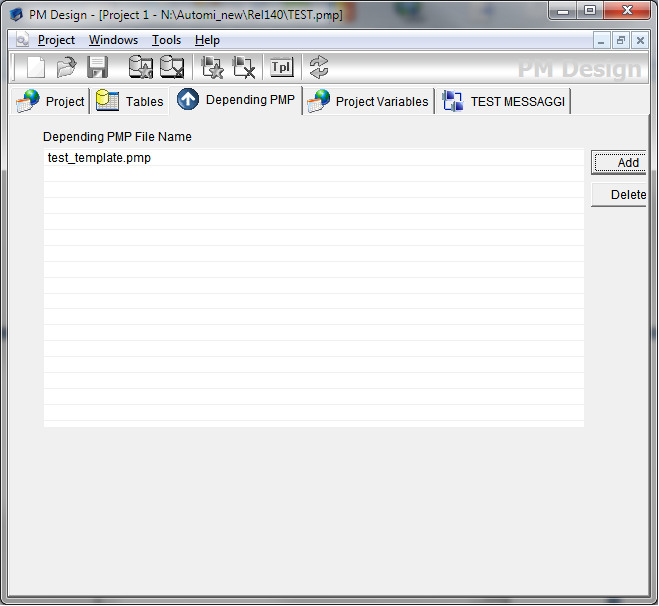
On this page you can define the list of projects links with the project we are working on.it is useful,for example,if we want to realize a very complex project that involves many automa.In this case,a root project can made to which all the other automa connected.
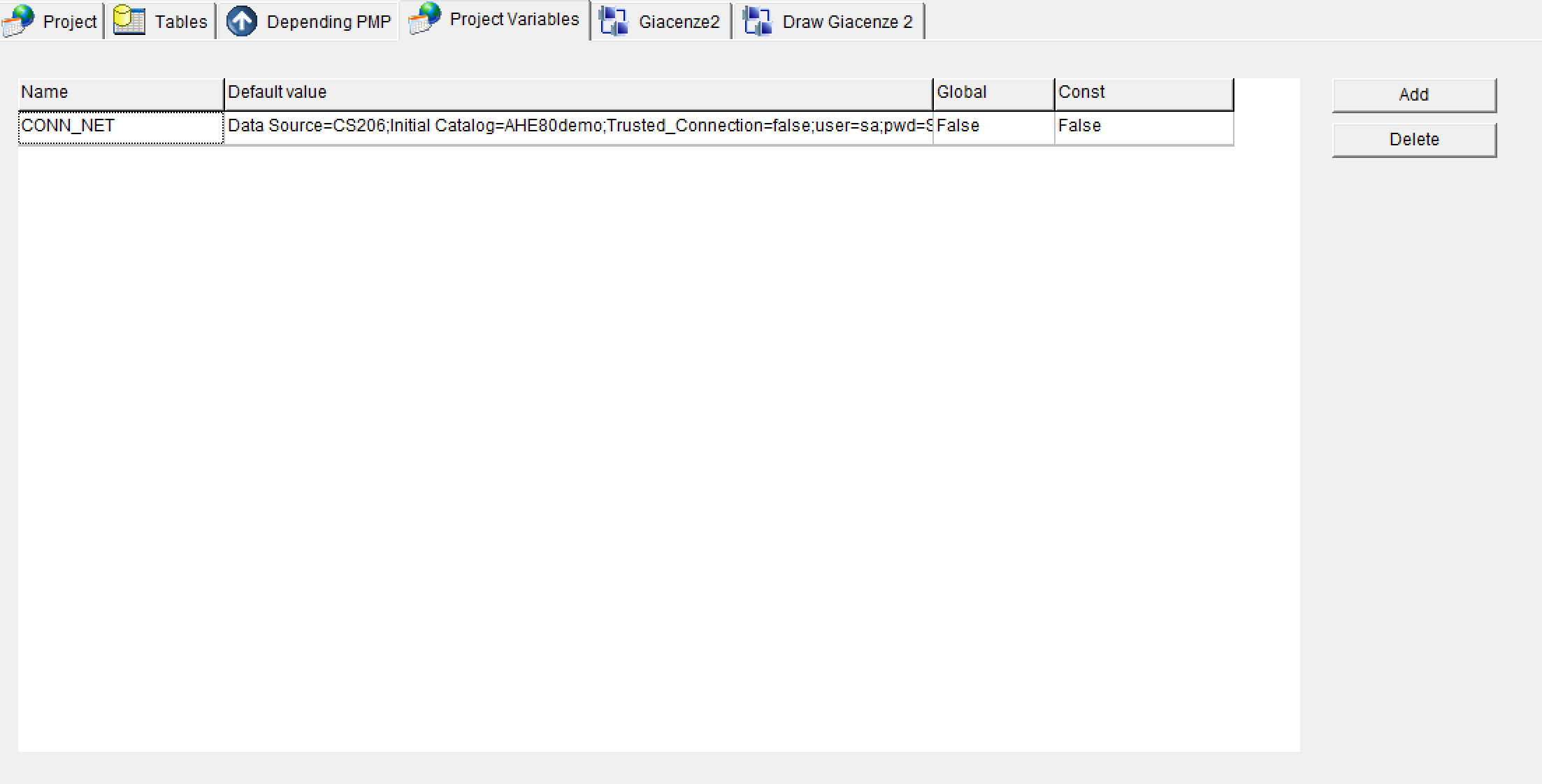
2.3.4 PAGINA PROJECT VARIABLES
On this page you can define so-called project variables.It is possible to define name,default value and variable type (global or constant). These variables manage by the systema automa in the same way as defined by variables with the template STORE IN VAR but have a particularity:their value can also be defined or varied within Plant editor module. This feature allows developer to define variables in automa,but can then redefine or overwrite them (without having to use proman design) directly from the end user.
Created with the Personal Edition of HelpNDoc: Free PDF documentation generator