2.6 Operational templates
The templates have 3 fields:
- variable: variable name
- obl: if X is set,field is mandatory
- value: this is just what it sounds like
Display:
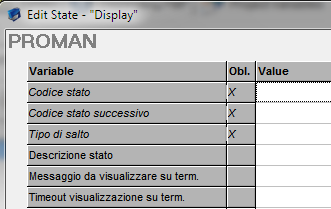
Template to display strings on text terminals.
- Codice stato: Indicates automa state code on which the template you are inserting.
- Codice stato successivo: Is the next state that will be run by automa.
- Tipo di salto: Is the mode by which the automa switches from the state that we are entering to the next state (if it is type 'E' executes the current state and then goes immediately to the next state; if it is type 'W' executes the current state and then you wait for an input before you switch to the next state).
- Descrizione stato: Is a description to indicate the operation related to the current state.
- Messaggio da visualizzare su term.: Is the string that will display on the terminal display.
- Timeout visualizzazione su term.: Is the time (expressed in seconds) that the message remains on the terminal.
Check Format
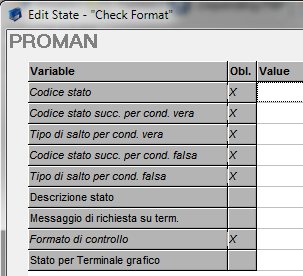
Template to verify formatting of entered data.
- Codice stato: Indicates automa state code on which the template you are inserting.
- Codice stato successivo per cod. vera: Is the next state that will be run by the automa if test on the format has been successful.
- Tipo di salto per cond. vera: Is the mode by which the automa switches from the state we are entering to the next state if the test on the format has been successful(if it is type 'E' executes the current state and then goes immediately to the next state; if it is type 'W' executes the current state and then you wait for an input before you switch to the next state).
- Codice stato successivo per cod. falsa: Is the next state that will be run by the automa if test on the format has failed.
- Tipo di salto per cond. falsa: Is the mode by which the automa switches from the state we are entering to the next state if the test on the format has failed((if it is type 'E' executes the current state and then goes immediately to the next state; if it is type 'W' executes the current state and then you wait for an input before you switch to the next state).
- Descrizione stato: Is a description to indicate the operation related to the current state.
- Messaggio da visualizzare su term.: Is the string that will display on the terminal display.
- Formato di controllo: Indicates the data format of the entered data:
? Any one character
* Any number of characters
$ Just one letter
# One numeric character
% Any number of numeric characters
A..Z, a..z, 0..9 The specified character
- Stato per terminale grafico: Indicates the state to skip for graphic design.
If
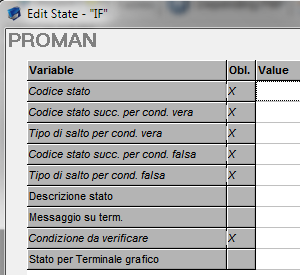
Template for logical IF control execution.
1. Condizione da verificare: The condition to be checked in the IF,for example ['CAPACITY'] > 0
Store in var
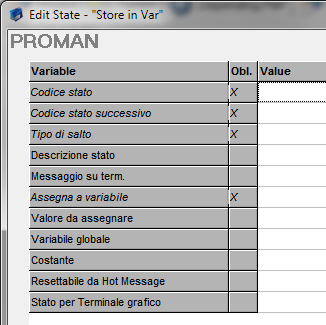
Template that allows you to create/store a value in a variable.
1. Assegna a variabile: Enter the name of the variable where the data will be stored.
Select
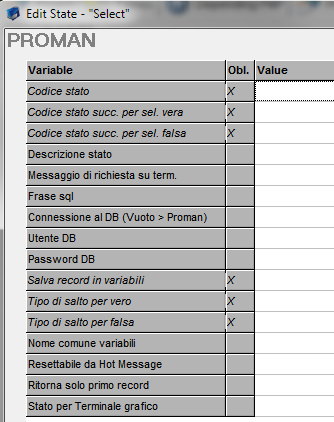
Template to extracting DB data and creating variables or recordsets.
1. Salva record in variabili: You can choose between yes and no,if we set yes to use the variable,we must enter its name in the field Nome comune variabili.
SQL
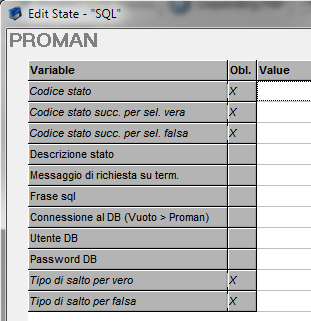
Template to direct execution of SQL commands.
Recordset Move
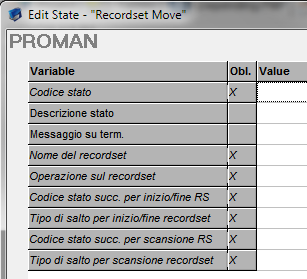
Template for scanning a recordset created using the Select templates.
Store in table
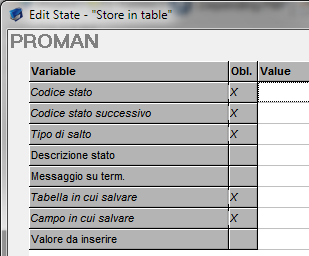
Template to store a value in the table that will be closed from the End Transaction template.
End Transaction
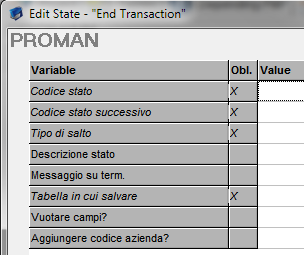
Template that allows you to close open transactions through the Store in Table.
Gosub
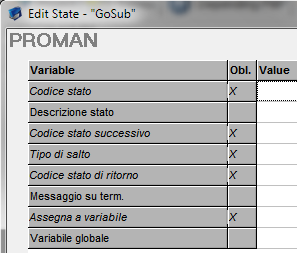
Template that allows you to save a return state and execute a subroutine.
Send Command
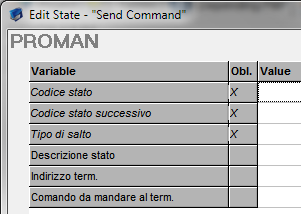
Template per inviare comandi ai terminali configurati nel plant editor.
Send Mail
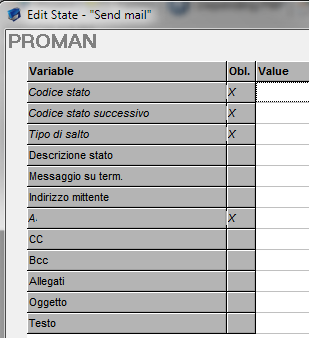
Template for sending asynchronous emails.
1. Indirizzo mittente: Sender address.
Enable Hot Message
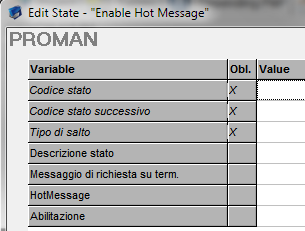
Template that allows you to enable/disabe hot messages.
Read text File
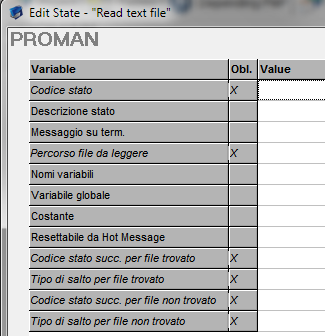
Template to read strings from a text file.
Split string
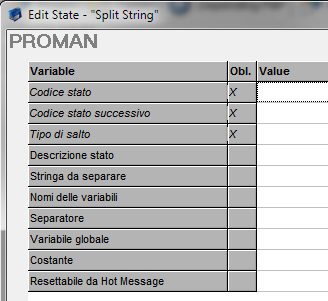
Template to decompose formatted text strings and store the value in a variables.
Shell Execute
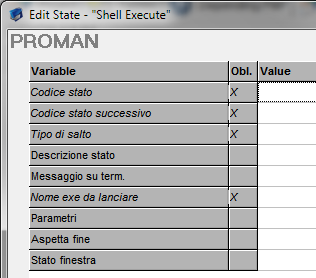
Template for running external programs.
TermStatus
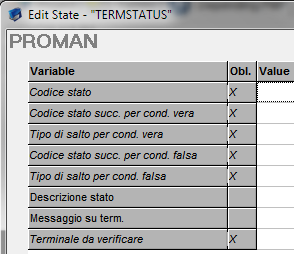
Template that allows you to test terminal status.
Plc Status
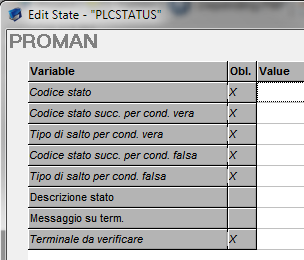
Template that allows you to test the terminal status of a PLC type.
Timed machine Switch
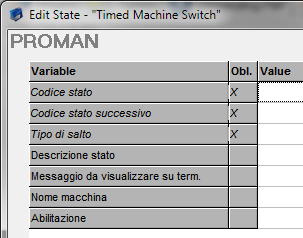
Template that allows you to enable/disable a timed-machine.
AdCheckUser
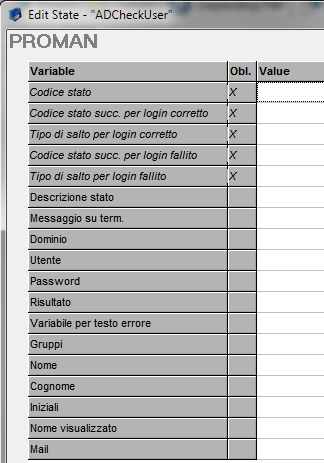
Template that allows you to validate Windows user + password.
AdChangePassword
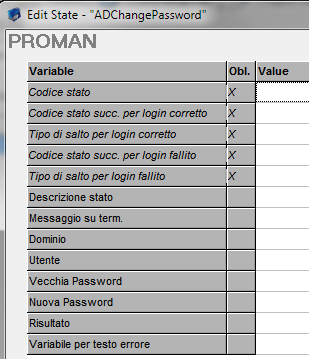
Template that allows you to update expired Windows password.
Created with the Personal Edition of HelpNDoc: Easy EBook and documentation generator